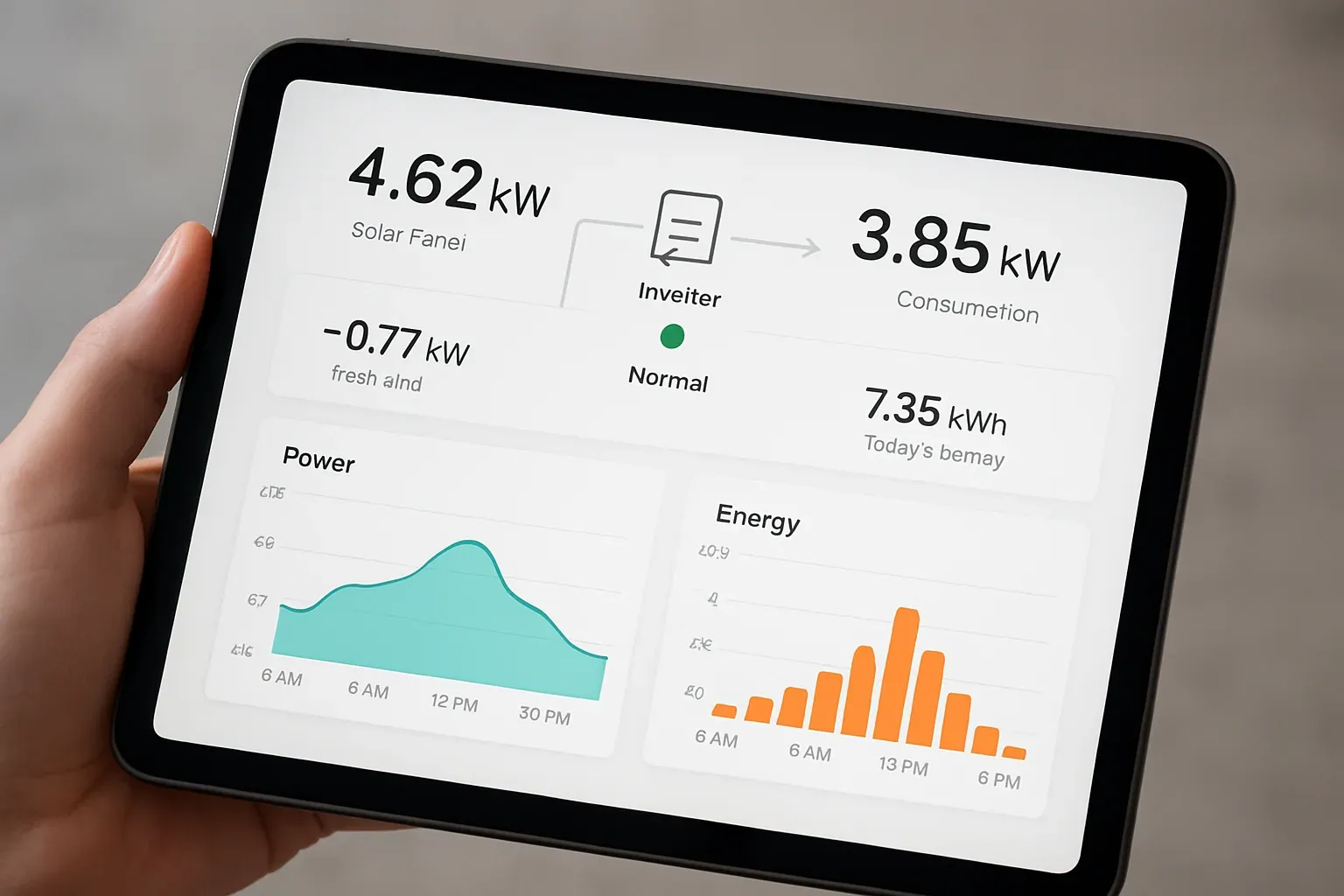
A solar inverter display provides important information about your solar power system, including energy generation, battery status, grid supply, load consumption, and inverter performance. Knowing how to read solar inverter display values helps you understand whether your system is operating correctly and how much electricity your solar panels are producing.
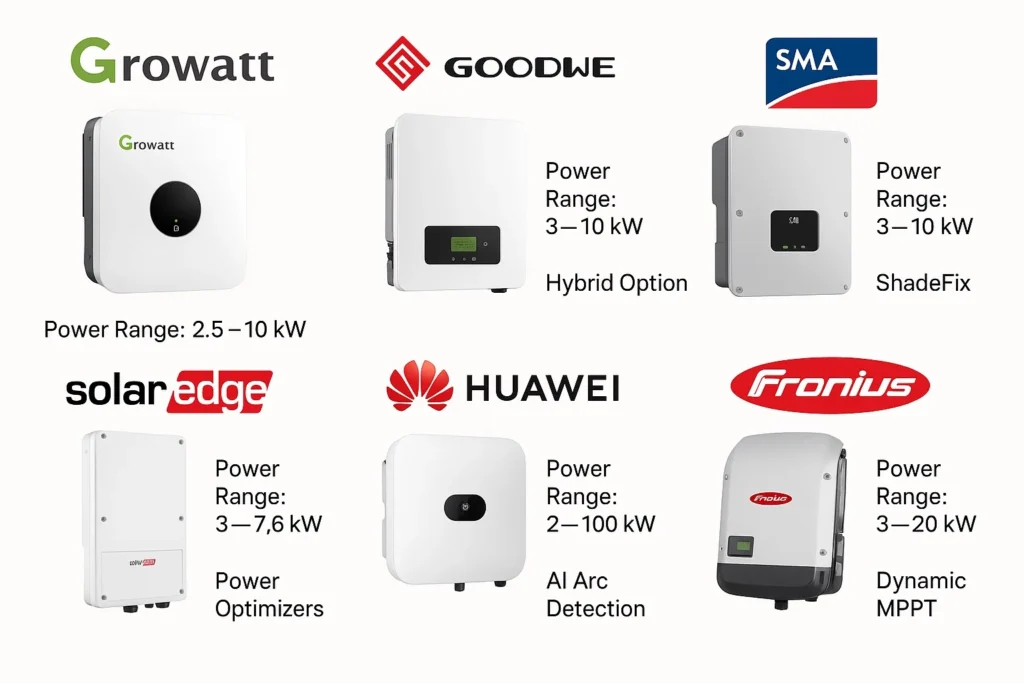
However, inverter displays are not identical. Different manufacturers, such as Growatt, SolarEdge, Fronius, and ABB, use different symbols, menus, measurements, and monitoring systems.
In this guide, you will learn how to read a solar inverter display, understand common electrical readings, interpret solar inverter meter values, and check important specifications.
1. Understanding a Solar Inverter Display
A solar inverter display is the interface between you and your solar power system. It shows real-time operating information and, depending on the model, historical energy production and fault messages.
Most modern solar inverters display some or all of the following information:
- PV input voltage and current.
- Solar power generation in watts (W) or kilowatts (kW).
- Battery voltage, current, and state of charge (SOC).
- Grid voltage and frequency.
- Load power consumption.
- Energy generated today.
- Total energy generated.
- Operating status and fault codes.
Some inverters use an LCD screen with physical buttons, while others have LED indicators, touchscreens, mobile applications, or web-based monitoring portals.
Important: The exact meaning of a reading depends on the inverter model. Always refer to the manufacturer’s user manual for model-specific symbols and operating limits.
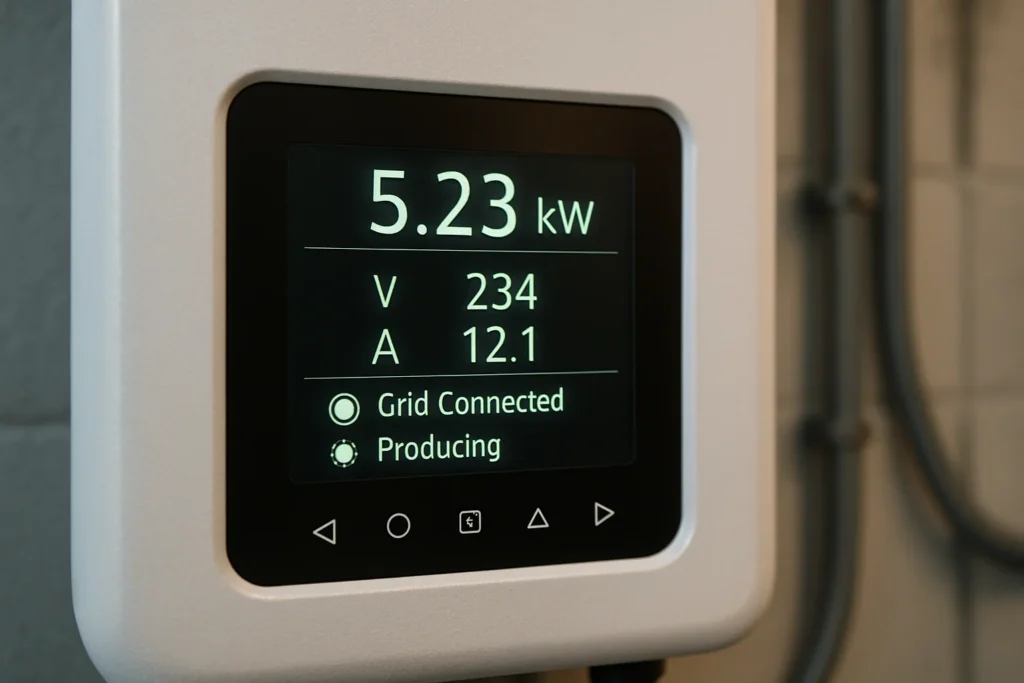
2. How to Read Solar Inverter Display Values
Before examining a particular inverter brand, it is useful to understand the electrical measurements commonly shown on solar inverter displays.
A. PV Voltage (V)
PV voltage is the DC voltage produced by the solar panels and supplied to the inverter’s solar input.
It is usually displayed as:
- PV1 Voltage
- PV2 Voltage
- PV Input Voltage
- Solar Voltage
For example, a display may show:
PV1: 350 V
This means that the first solar input or MPPT channel is receiving approximately 350 volts DC.
Some inverters have multiple MPPT inputs, so they may display separate voltage readings for PV1 and PV2.
Why it matters: PV voltage helps you check whether the solar array is operating within the inverter’s permitted input voltage range.
A zero reading during daylight may indicate a disconnected PV input, an open DC isolator, a fault, or a monitoring issue. However, some inverters also behave differently during startup and low-light conditions.
B. PV Current (A)
PV current is the DC current supplied by the solar panels.
It may appear as:
- PV1 Current
- PV2 Current
- PV Input Current
- Solar Current
For example:
PV1: 8.5 A
This means the first PV input is supplying 8.5 amperes.
PV current changes with sunlight intensity, panel temperature, shading, and the connected electrical load.
If an inverter has multiple MPPT channels, compare the readings only after considering the number of panels, string configuration, orientation, and shading.
C. Solar Power (W or kW)
Solar power indicates how much electrical power the solar panels are producing at a particular moment.
It can be calculated using:
Power (W) = Voltage (V) × Current (A)
For example:
- PV voltage = 350 V
- PV current = 8 A
Solar power = 350 × 8 = 2,800 W
Therefore, the solar panels are producing approximately 2.8 kW at that moment.
Actual inverter readings may differ slightly because of measurement accuracy, multiple MPPT inputs, and internal conversion losses.
D. AC Output Voltage (V)
AC output voltage is the voltage supplied by the inverter to the electrical system.
For a single-phase inverter, the display may show approximately 230 V in many countries. Three-phase systems may show line-to-neutral and line-to-line voltage readings.
For example:
- L1-N: 230 V
- L2-N: 230 V
- L3-N: 230 V
These values are illustrative. Actual nominal voltage depends on the country’s electrical supply and inverter configuration.
If the voltage is outside the permitted operating range, the inverter may reduce output or disconnect from the grid.
E. AC Output Current (A)
AC output current indicates how much current the inverter is supplying to the connected load or electrical grid.
For example:
AC Current: 12 A
This means the inverter is supplying approximately 12 amperes on the displayed AC output.
On a three-phase inverter, the current may be displayed separately for each phase.
F. Grid Frequency (Hz)
Grid frequency indicates the frequency of the AC electrical supply.
Common nominal frequencies include:
- 50 Hz in Pakistan and many other countries.
- 60 Hz in the United States and some other regions.
For example, a display reading of 50.0 Hz indicates a grid frequency of 50 hertz.
If the grid frequency moves outside the inverter’s permitted range, a grid-connected inverter may disconnect for protection.
G. Battery Voltage (V)
For hybrid and off-grid inverters, battery voltage indicates the DC voltage of the connected battery bank.
Common nominal battery system voltages include:
- 12 V
- 24 V
- 48 V
- Higher-voltage battery systems, depending on the inverter design.
For example:
Battery Voltage: 51.2 V
This is an illustrative reading for a nominal 48 V lithium battery system.
Battery voltage alone does not provide an accurate state-of-charge reading, especially with lithium batteries. The battery management system (BMS), battery current, temperature, and charging conditions also matter.
H. Battery State of Charge (SOC %)
SOC means State of Charge. It indicates the estimated remaining battery capacity as a percentage.
For example:
Battery SOC: 75%
This means the battery management system estimates that approximately 75% of the usable battery capacity remains.
A battery at 100% SOC is considered fully charged according to its BMS or monitoring system. The actual displayed SOC depends on battery calibration and communication with the inverter.
I. Load Power (W or kW)
Load power indicates the electrical power being consumed by connected appliances.
For example:
Load: 1,500 W
This means the connected load is consuming approximately 1.5 kW.
If your inverter displays both PV power and load power, you can compare them to understand whether solar generation is sufficient for the connected appliances.
J. Daily and Total Energy Generation (kWh)
Most solar inverters display energy production over different periods.
| Display reading | Meaning |
|---|---|
| Today (kWh) | Energy generated since the start of the current day |
| Monthly (kWh) | Energy generated during the current month |
| Yearly (kWh) | Energy generated during the current year |
| Total (kWh) | Cumulative energy generated since installation or the recorded start date |
For example:
- Today: 18.5 kWh
- This month: 420 kWh
- Total: 8,750 kWh
The difference between kW and kWh is important. Kilowatts measure power at a particular moment, while kilowatt-hours measure energy generated or consumed over time.
3. How to Read a Solar Inverter Meter
A solar inverter meter may be built into the inverter or installed separately. A separate energy meter can measure electricity flowing between the grid, solar system, and building.
The most common meter readings include:
Import Energy (kWh)
Import energy indicates the electricity drawn from the utility grid.
For example, if your meter shows 120 kWh of imported energy during a billing period, your property has consumed 120 units from the grid, subject to the meter’s measurement arrangement.
Export Energy (kWh)
Export energy indicates the electricity sent from your solar system to the utility grid.
For example:
Export Energy: 85 kWh
This means the system has exported 85 kWh during the meter’s recorded period.
Active Power (kW)
Active power indicates the real electrical power flowing through the meter.
Depending on the meter configuration, it may display positive or negative values to indicate the direction of power flow.
Power Factor (PF)
Power factor indicates the relationship between real power and apparent power.
It is usually represented as a value between 0 and 1.
A reading of 0.95 indicates a power factor of 0.95.
Current and Voltage
Some energy meters also display voltage and current separately for each phase.
These readings help identify supply conditions and load distribution.
Note: Meter registers and symbols vary between manufacturers. Do not assume that every meter uses the same import/export labels. Check the meter manual and confirm whether it is configured for the correct direction of power flow.
4. How to Read SolarEdge Inverter Display
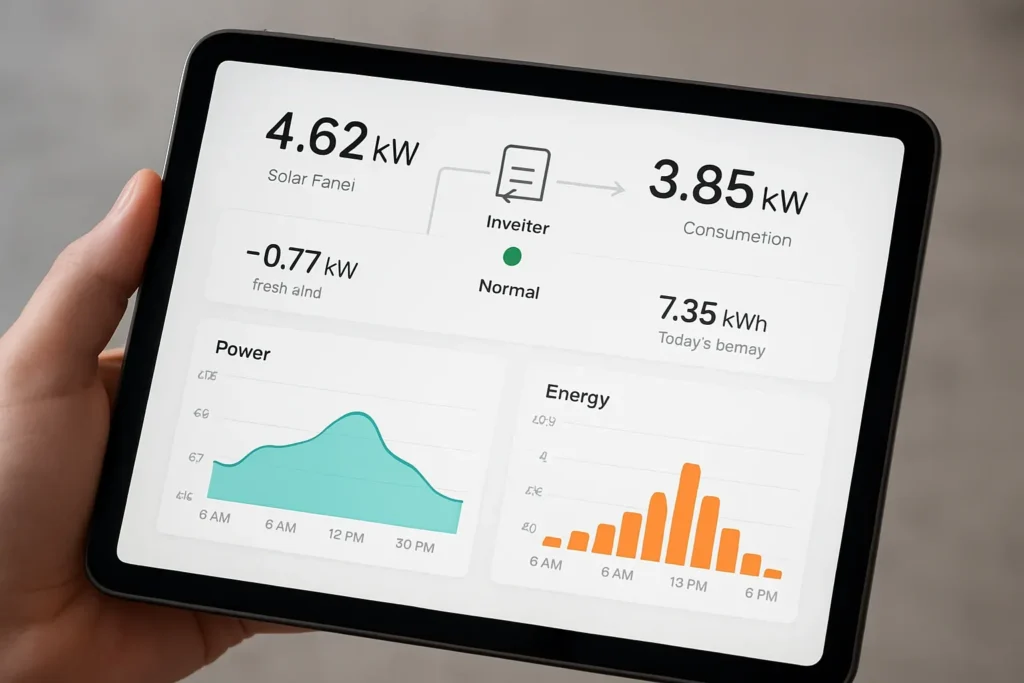
SolarEdge systems commonly use inverter monitoring through a mobile application or web-based monitoring platform. The exact display depends on the inverter model and monitoring equipment.
To understand how to read a SolarEdge inverter, start with the following information:
Current Power
The monitoring platform can show the system’s current solar production in watts or kilowatts.
For example:
Solar Production: 4.2 kW
This indicates the current power output of the solar system.
Energy Production
The monitoring platform can display energy generation over different periods, including daily, monthly, yearly, and lifetime production.
Power Flow
Depending on the system configuration, the monitoring interface can show power flowing between:
- Solar panels.
- Inverter.
- Home consumption.
- Battery storage.
- Utility grid.
Battery Information
For compatible SolarEdge systems with battery storage, the monitoring platform may show battery charge level, charging power, discharging power, and operating status.
System Status
The inverter and monitoring platform may display operating conditions, warnings, and error messages.
Important: SolarEdge models differ in their display and monitoring features. Some models have limited physical displays and rely mainly on the monitoring platform. Consult the manual for your exact inverter model.
5. How to Read Fronius Solar Inverter Display
Fronius inverters use different display and monitoring interfaces depending on the product series.
For example, some older models use a physical LCD display, while many newer models provide information through the Fronius Solar.web platform.
Common readings include:
PV Power
PV power shows the current output from the solar array.
For example:
PV Power: 3,500 W
This means the solar system is currently producing approximately 3.5 kW.
AC Power
AC power indicates the power being supplied by the inverter to the electrical system.
The value may differ from DC PV power because of inverter conversion losses and auxiliary consumption.
Daily Energy
Daily energy shows how many kilowatt-hours the system has generated since the beginning of the day.
Total Energy
Total energy indicates the cumulative energy production recorded by the inverter.
Grid Information
Depending on the model, Fronius systems may display grid voltage, frequency, and power output.
System Messages
Fronius inverters may display status messages or service codes. Check the manufacturer’s documentation before attempting to resolve an error.
6. How to Read a Growatt Solar Inverter Meter
Growatt offers several types of solar inverters, including grid-tied, hybrid, and off-grid models. Their displays and menu arrangements vary between product series.
Many Growatt inverters use an LCD screen with buttons to navigate between operating information.
Common readings include:
PV Input Voltage
The PV voltage shows the DC voltage received from the solar panels.
Some models show separate PV1 and PV2 readings.
PV Input Current
This reading indicates the current supplied by the solar panels to each available MPPT input.
Output Voltage
The output voltage indicates the AC voltage supplied by the inverter.
For a typical single-phase system configured for a 230 V supply, the reading should be around the nominal voltage within the manufacturer’s permitted range.
Output Frequency
This indicates the output AC frequency, commonly configured for 50 Hz or 60 Hz depending on the installation.
Battery Voltage and Capacity
For compatible hybrid and off-grid models, the display may show battery voltage, charging current, discharging current, and SOC.
The available information depends on whether the battery communicates with the inverter.
Load Percentage
Some Growatt models display the connected load as a percentage of the inverter’s rated output.
For example:
Load: 60%
This means the displayed load is approximately 60% of the inverter’s rated capacity, according to the model’s load calculation.
Operating Mode
Growatt inverters may show operating modes such as:
- Grid mode.
- Battery mode.
- Standby.
- Fault mode.
- Bypass mode.
The exact names and meanings depend on the model.
Always use the model-specific Growatt manual to interpret the LCD screens and fault codes.
7. How to Read ABB Solar Inverter
ABB solar inverters have been used in residential, commercial, and industrial solar installations. Some product lines have also been transferred to other manufacturers, so the documentation and support arrangements depend on the inverter’s model and production history.
Depending on the model, ABB inverters may provide readings through an LCD display, communication interface, or monitoring platform.
Common readings include:
DC Input Voltage
This shows the voltage supplied by the solar panels to the inverter.
DC Input Current
This indicates the current entering the inverter from the PV strings.
AC Output Power
This shows the active power supplied by the inverter to the electrical system.
Grid Voltage and Frequency
These readings help you monitor the grid connection and check whether the supply is within the inverter’s operating limits.
Daily and Lifetime Energy
These values show the energy produced during the current day and the cumulative production recorded by the inverter.
Alarm and Error Messages
ABB inverter models may display warnings, alarms, or fault codes.
The meaning of each code depends on the specific product series. Check the relevant ABB or current product-support documentation before attempting troubleshooting.
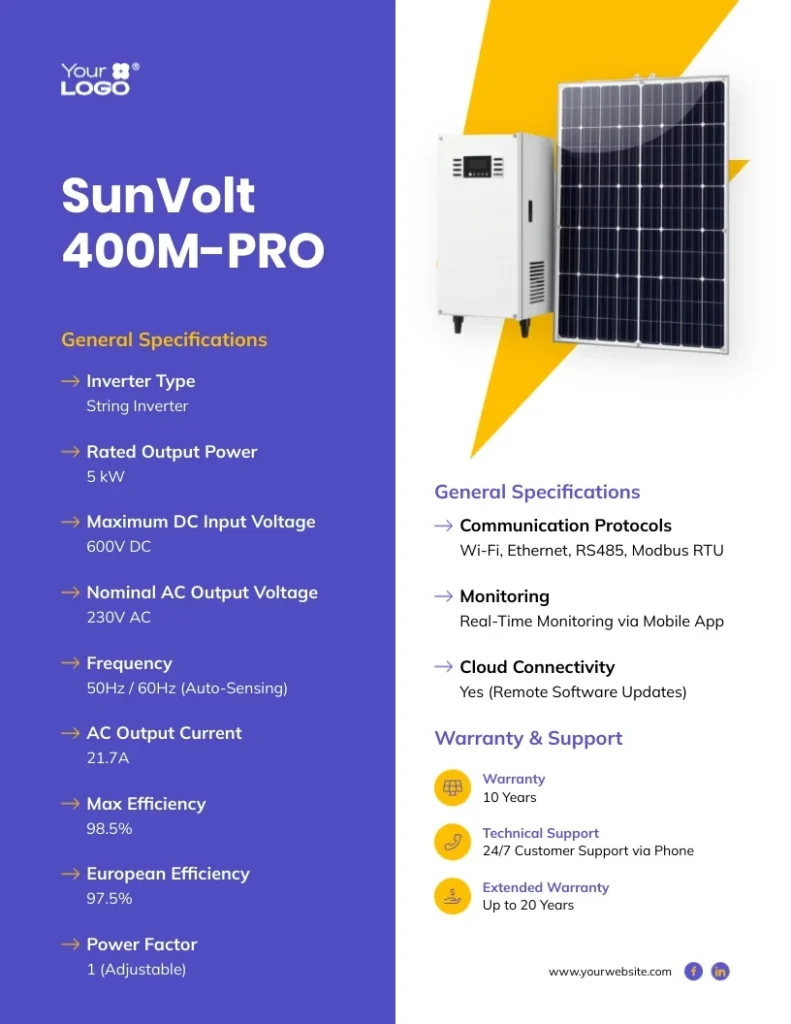
8. How to Read Solar Inverter Specifications
Understanding the inverter’s specifications is just as important as reading its operating display.
The specification label or datasheet provides the electrical limits within which the inverter is designed to operate.
Here are the most important specifications to understand.
| Specification | Meaning |
|---|---|
| Rated AC Power | Normal rated power output of the inverter |
| Maximum AC Power | Maximum specified AC output under defined conditions |
| Maximum PV Input Power | Maximum recommended or permitted PV array power, as defined by the manufacturer |
| Maximum DC Voltage | Highest permitted PV input voltage |
| MPPT Voltage Range | Voltage range in which the MPPT can operate |
| Maximum Input Current | Maximum permitted current for a PV input or MPPT |
| Number of MPPTs | Number of independent maximum power point trackers |
| Rated AC Voltage | Nominal AC output voltage |
| Rated Frequency | Nominal output frequency |
| Efficiency | How effectively the inverter converts DC power into AC power |
| Power Factor | Relationship between real power and apparent power |
| IP Rating | Protection against dust and water ingress |
Example of Reading Solar Inverter Specifications
Consider an illustrative inverter with these specifications:
- Rated AC output: 5,000 W
- Maximum PV input voltage: 500 V
- MPPT voltage range: 120–450 V
- Maximum input current: 15 A per MPPT
- Rated AC voltage: 230 V
- Rated frequency: 50 Hz
- Maximum efficiency: 98%
These values tell you that the inverter is designed for a nominal 5 kW AC output and that the PV array must be configured within the specified voltage and current limits.
Important: Maximum efficiency is a laboratory or specified operating-condition figure. Actual efficiency changes with input voltage, output power, temperature, and other operating conditions.
Never select a solar panel string based only on the MPPT voltage range. Check the maximum cold-weather open-circuit voltage (Voc), operating current, short-circuit current limits, and the manufacturer’s string design requirements.
9. How to Know If Your Solar Inverter Is Working Properly
Reading the display regularly helps you identify abnormal operating conditions.
Here are some basic checks:
- Check PV generation during daylight: Confirm that the inverter is receiving solar power when sunlight is available.
- Check battery status: If your system has batteries, monitor SOC, voltage, and charging or discharging status.
- Check AC output: Compare the displayed voltage and frequency with the inverter’s rated operating values.
- Check energy production: Review daily generation and compare it with similar weather and seasonal conditions.
- Check fault messages: Record any warning or error codes and consult the manufacturer’s manual.
- Check grid power flow: If you have a bidirectional meter, confirm whether electricity is being imported from or exported to the grid as expected.
Solar production changes throughout the day. Cloud cover, dust, shading, temperature, and seasonal sunlight all affect output. A lower reading does not automatically indicate an inverter fault.
10. Common Solar Inverter Display Problems
Sometimes the inverter display shows unexpected values or warning messages.
| Display condition | Possible explanation |
|---|---|
| PV voltage is zero | Low sunlight, disconnected PV input, open isolator, or system fault |
| PV power is low | Cloud cover, shading, dirty panels, high temperature, or string issue |
| Battery not charging | Low PV generation, battery settings, BMS communication issue, or charging limit |
| Grid voltage abnormal | Utility supply outside the permitted range or wiring issue |
| Output power is zero | Standby, nighttime, fault condition, or no available power source |
| Communication error | Monitoring connection or communication wiring problem |
| Inverter temperature high | High ambient temperature, poor ventilation, or cooling issue |
Do not open the inverter or touch internal terminals to investigate a warning. Solar DC circuits can remain energized in daylight, and some components can retain dangerous voltage after shutdown.
For persistent faults, record the model number and error code and contact a qualified solar technician.
Conclusion
Understanding how to read a solar inverter display helps you monitor solar production, battery performance, grid supply, and household electricity consumption.
Start by learning the basic measurements: PV voltage, PV current, solar power, AC output, battery SOC, and energy generation. Then use the manufacturer’s manual to understand the specific display menus and symbols.
Whether you use a SolarEdge, Fronius, Growatt, or ABB inverter, the basic electrical measurements remain similar, even though their interfaces differ.
Regular monitoring can help you identify abnormal readings early, improve system performance, and make better use of the electricity generated by your solar panels.
FAQs
1. What does PV mean on a solar inverter display?
PV stands for Photovoltaic. It refers to the electricity generated by solar panels. PV voltage, current, and power readings show the DC electricity supplied by the solar array to the inverter.
2. How do I know how much electricity my solar inverter is producing?
Check the PV power reading to see the instantaneous production in watts or kilowatts. For total energy production, check the daily or lifetime energy reading in kilowatt-hours (kWh).
3. What is the difference between kW and kWh on a solar inverter?
Kilowatts (kW) measure the power being produced or consumed at a particular moment. Kilowatt-hours (kWh) measure the amount of energy produced or consumed over time.
For example, a 2 kW solar system producing that power continuously for three hours would generate 6 kWh of energy, assuming constant output.
4. Why does my solar inverter show zero PV power?
An inverter may show zero PV power at night or when sunlight is insufficient. Other possible causes include a disconnected solar string, an open DC isolator, a protection shutdown, or an inverter fault.
If the reading remains zero during good sunlight, have the system inspected by a qualified technician.
5. What does a battery percentage mean on a hybrid inverter?
The battery percentage usually represents its estimated State of Charge (SOC). A reading of 80% means the battery management system estimates that approximately 80% of its usable capacity remains.
The exact accuracy depends on battery chemistry, BMS calibration, and communication with the inverter.
6. What does grid import and export mean on a solar inverter?
Grid import is electricity drawn from the utility supply when solar generation and battery discharge are insufficient or when the system is configured to import power.
Grid export is surplus electricity sent from the solar system to the utility grid when generation exceeds local consumption, and the system permits export.
7. Can I read solar inverter data without its LCD display?
Yes. Many modern solar inverters provide monitoring through a mobile application, web portal, or communication interface such as Wi-Fi, Ethernet, or RS485. The available monitoring options depend on the inverter model and installed communication equipment.